
Your form was submitted, and we'll follow up soon to make sure you have everything you need. Until then, you can do any of the following:
This walkthrough of the key features and screens will give you a feel for what's possible with ResolveRoster. For a more in-depth look at what we do for ADR firms, schedule a live demo using the calendar above.
View all neutrals, or select only active neutrals to see your latest roster.
Add another neutral with two clicks.
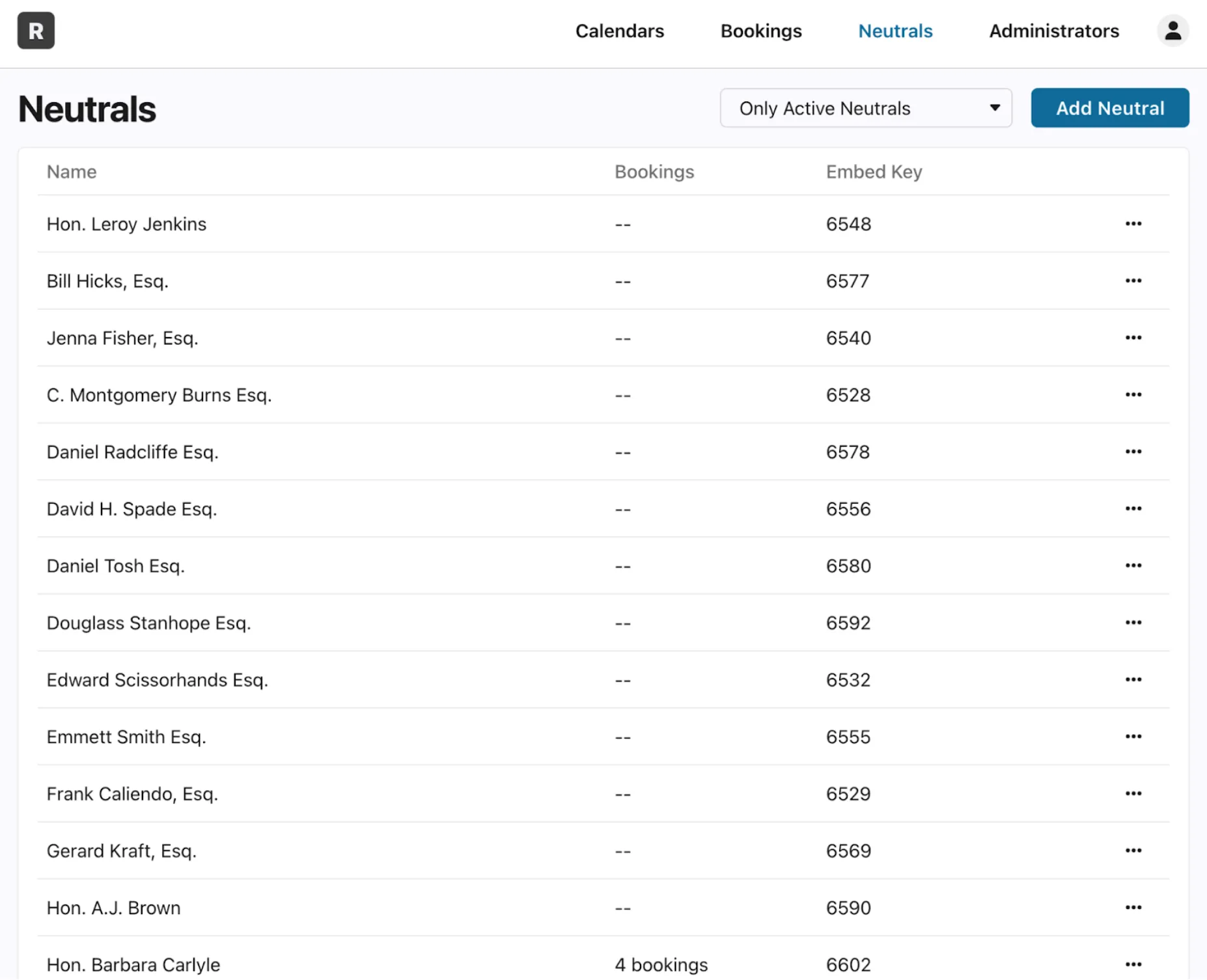
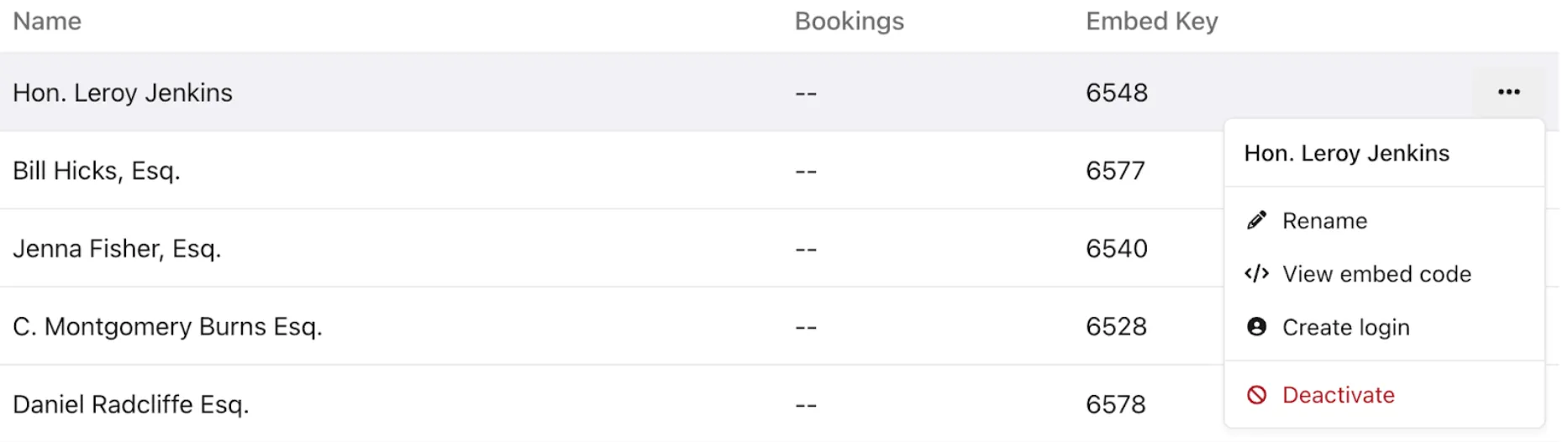
You can do the following to any neutral:
View the embed code for any given neutral to receive a copyable snippet of HTML.
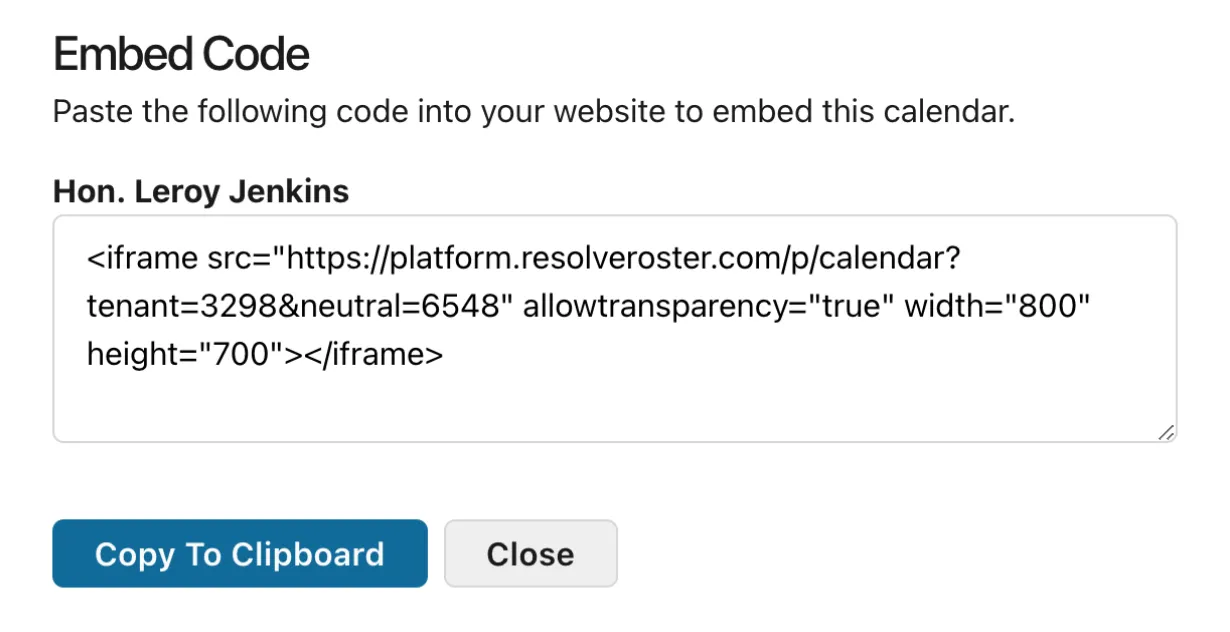
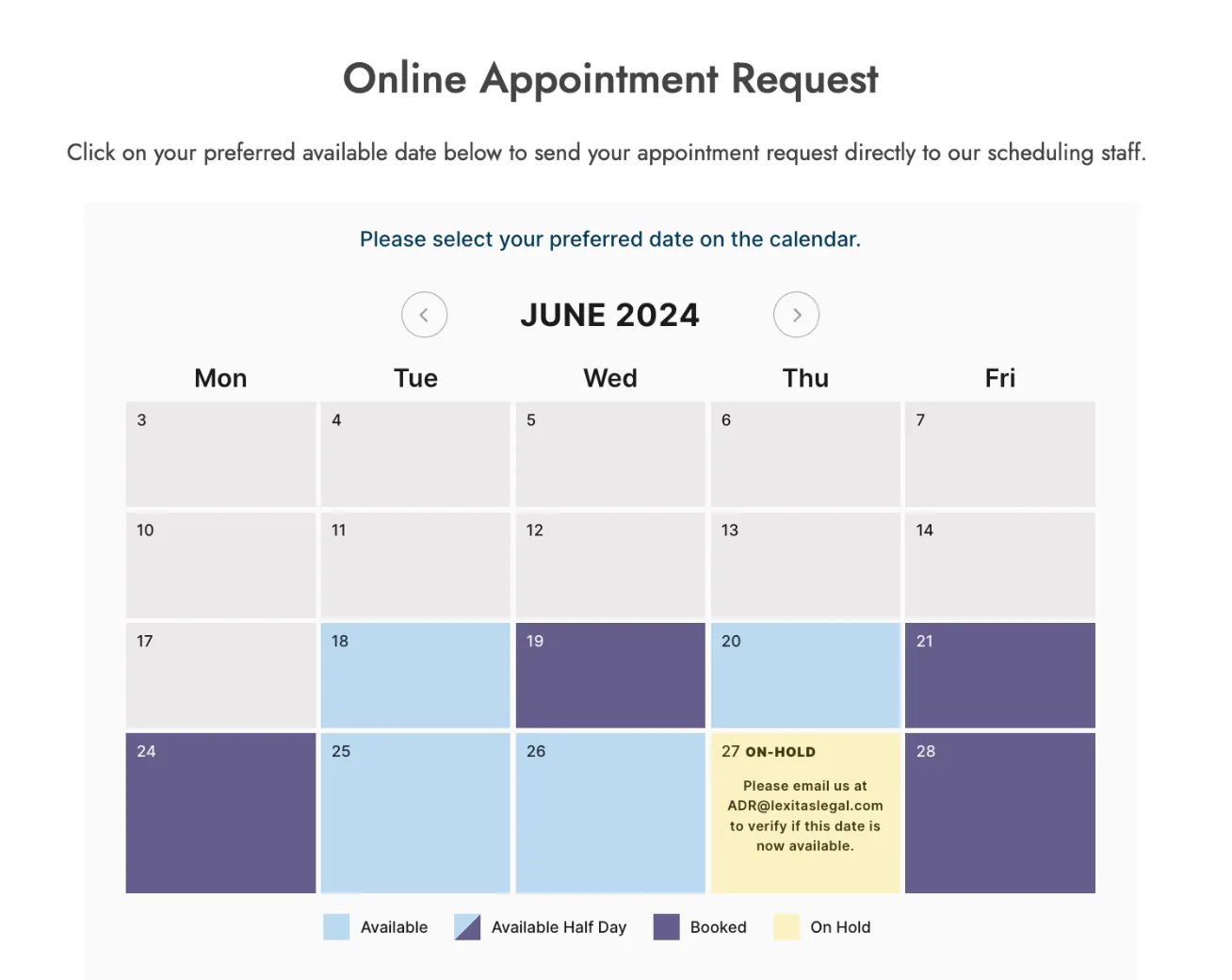
Add that snippet of code to the relevant neutral’s page, and your potential clients can self-serve to schedule time.
This live example is taken from our client Lexitas Legal. Your calendar notes are completely customizable.
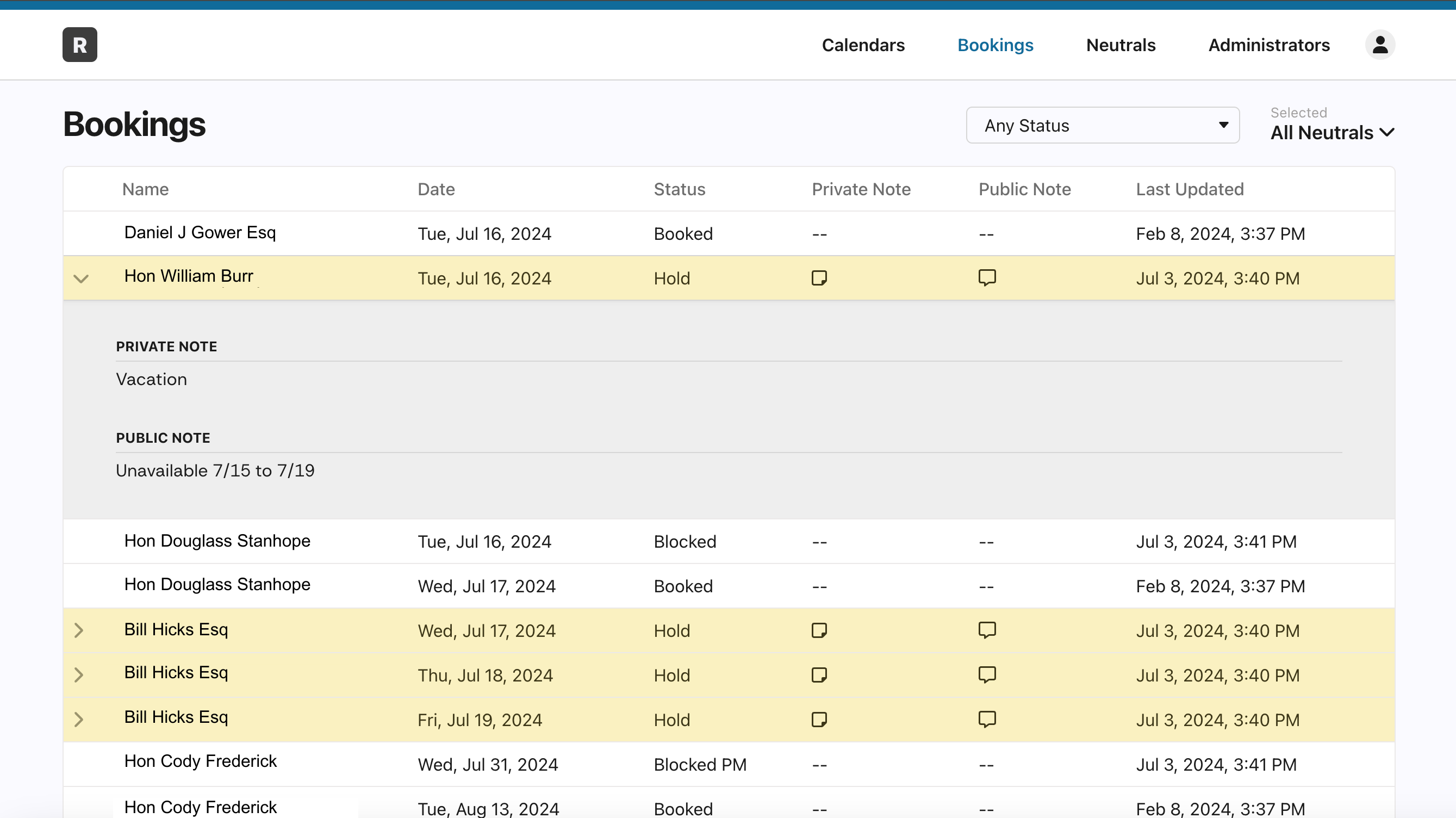
See all bookings and associated notes across the entire firm, or for a specific neutral.
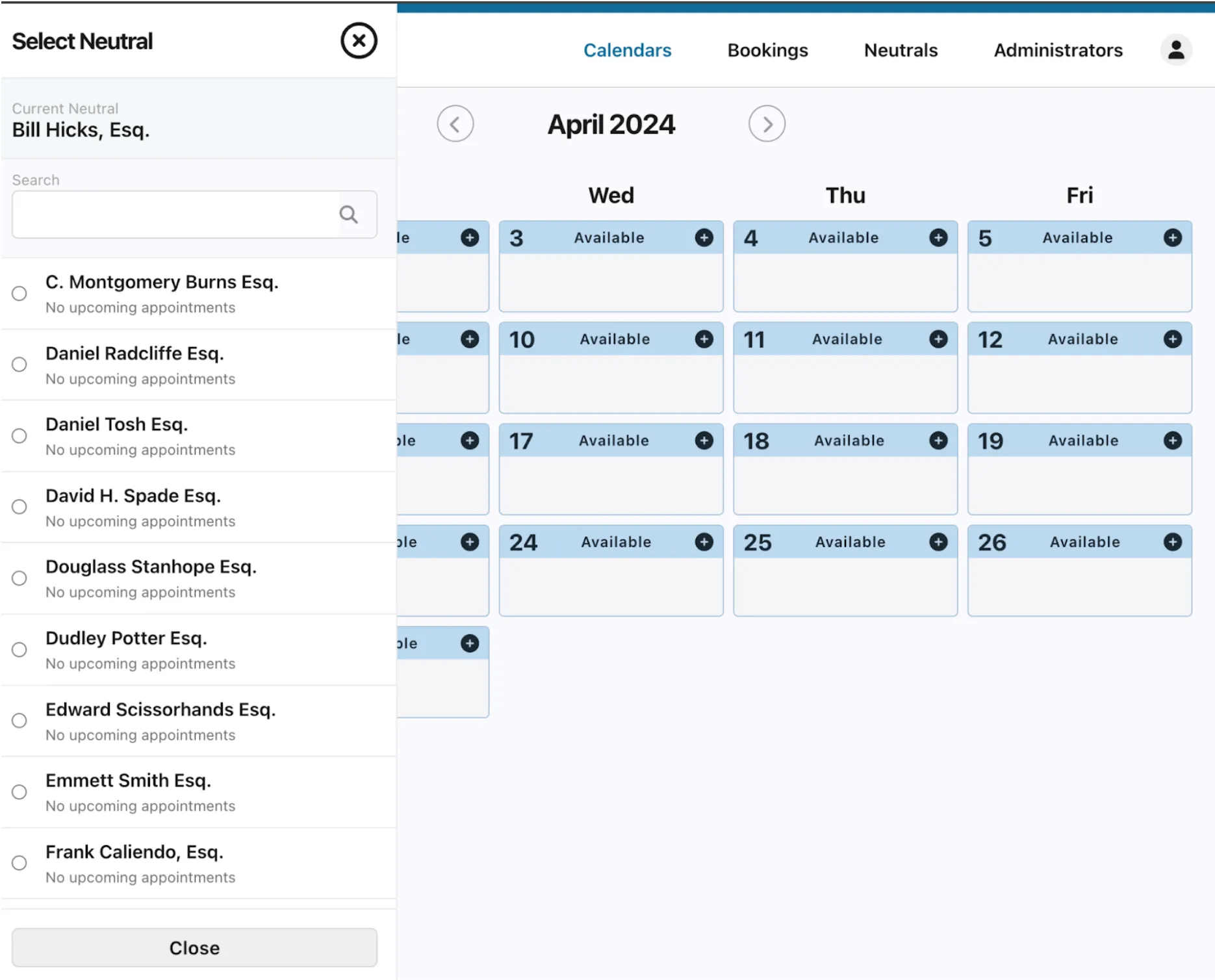
Scroll, or use the search function to instantly select any neutral on your panel.
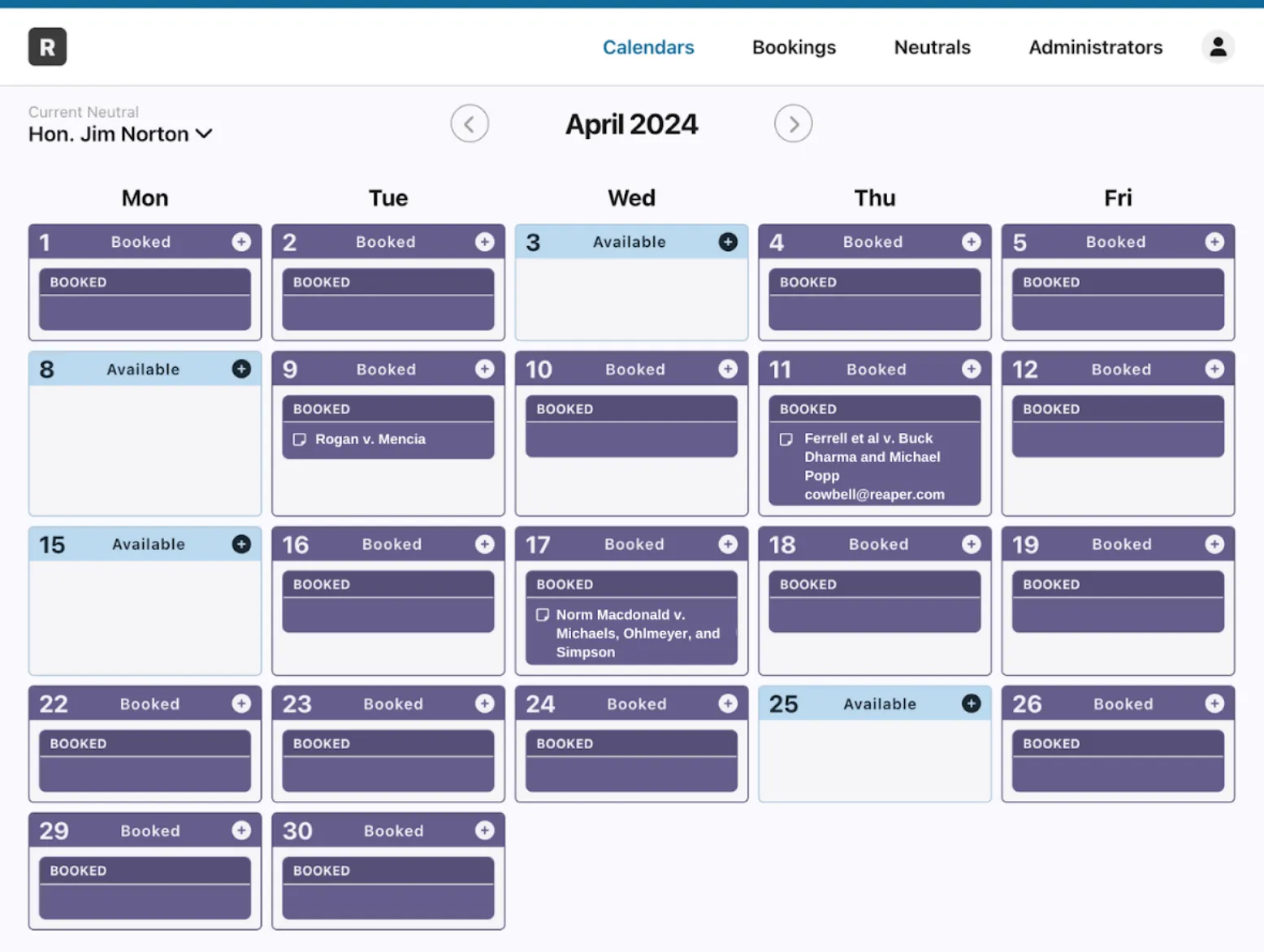
View the calendar for any neutral directly through the admin portal.
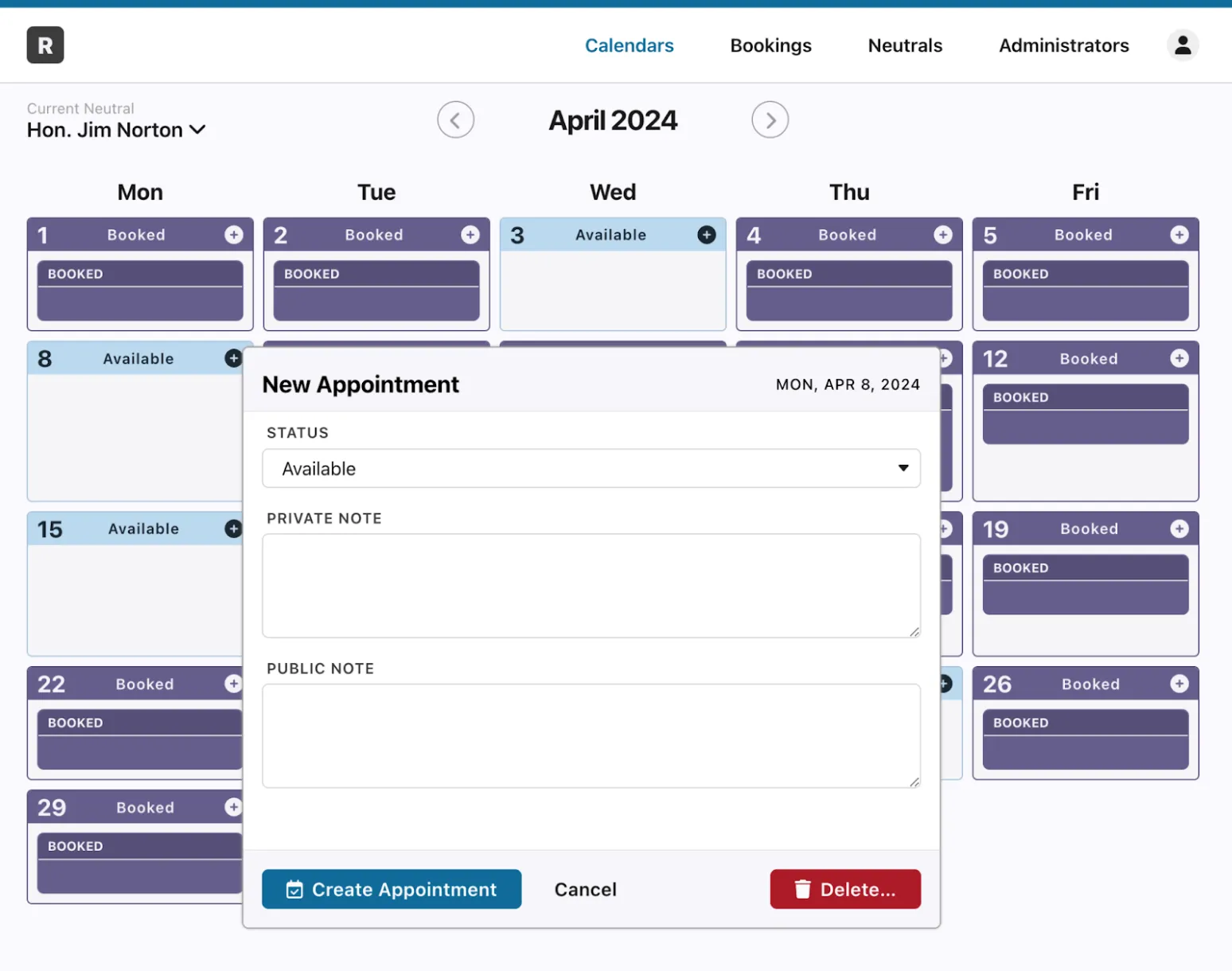
Add new appointments through the admin portal when necessary to account for any booking workflow.
Edit existing appointments to adjust scheduling or add notes.
Private notes are only visible to internal users, while public notes are visible to prospective clients through the embedded calendar on your website.

Schedule time with our team to receive more information or a live product demonstration.
